Local AI on my Surface Book 3 with Ollama and Qwen3:8b

Introduction
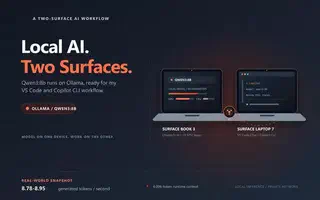
Running AI locally does not have to mean running everything on the laptop you use for daily work. In my setup, I split those roles between two Surface devices.
My Surface Book 3 runs Ollama with Qwen3:8b. My Surface Laptop 7 for Business is where I interact with that model, using both VS Code Chat and GitHub Copilot CLI.
The interesting part is that the AI workload runs on a different device from my editor and terminal. The Surface Book 3 hosts the model, while the Surface Laptop connects to it over the network.
This post explains that architecture, the configuration needed to connect the two devices, and what my Ollama logs reveal about performance. The figures come from a small number of real requests, not a controlled benchmark suite.
One Surface Hosts the Model, the Other Is the Client
| Component | Role |
|---|---|
| Surface Book 3 | Hosts Ollama and runs model inference |
| Ollama | Loads the model and exposes an API |
| Qwen3:8b | The local language model |
| Surface Laptop 7 for Business | Runs the editor and terminal clients |
| VS Code Chat | Provides an editor-based chat interface |
| GitHub Copilot CLI | Provides a terminal-based coding-agent interface |
The request path is straightforward:
Surface Laptop 7 for Business
  VS Code Chat / GitHub Copilot CLI
                 |
                 | Private network connection
                 v
Surface Book 3
  Ollama API -> Qwen3:8b
Here, local AI means inference on my own hardware. It does not mean that the model runs on the Surface Laptop itself, nor that the entire development workflow is automatically offline.
Preparing Qwen3:8b on the Surface Book 3
Install Ollama for Windows on the Surface Book 3. With Ollama running, download the model:
ollama pull qwen3:8b
Then test it directly on the host:
ollama run qwen3:8b
Start with a small prompt, such as asking the model to explain a short function. This separates model-loading problems from network or client-configuration problems.
Use the following commands to inspect the installation and the running model:
ollama list
ollama ps
ollama list shows the downloaded models. While the model is loaded, ollama ps shows whether it is using CPU, GPU, or a combination of both.
That distinction matters on a Surface Book 3. Hardware configurations differ, and having a GPU does not guarantee that the entire model and its context fit in GPU memory. Check the actual allocation instead of assuming full GPU acceleration.
My Surface Book 3 Configuration
The logs from October 6 and 7, 2026 show the following hardware and runtime configuration:
| Component | Observed configuration |
|---|---|
| CPU | Intel Core i7-1065G7 at a reported base frequency of 1.30 GHz |
| System memory | 31.6 GiB reported by Ollama, consistent with a 32 GB configuration |
| GPU | NVIDIA GeForce GTX 1660 Ti with Max-Q Design |
| Integrated graphics | Intel Iris Plus |
| GPU memory | 6,196 MiB reported by the backend |
| Storage | Approximately 690 GB free when I set it up |
| Operating system | Windows 11 Enterprise Insider Preview, build 26340 |
| Ollama server version | 0.35.1 in the network setup log |
| Inference backend | Vulkan, with CPU participation |
| Model | Qwen3 8B, 8.19 billion parameters |
| Quantization | Q4_K - Medium |
| Model file size | 4.86 GiB |
| Runtime context | 4,096 tokens, one slot |
| CPU inference threads | 4 |
This is the configuration in my logs, not a specification for every Surface Book 3.
Ollama offloaded 28 of 37 layers to the GPU: 27 repeating layers and the output layer. The model buffers were 3,598.37 MiB on the GPU and 1,379.26 MiB in CPU-mapped memory. The context cache added another 432 MiB on the GPU and 144 MiB on the CPU, with additional compute buffers on top.
The memory-fitting log explains why this was not a fully GPU-resident run. On October 7, the initial estimate for full offload was 5,311 MiB, against 5,199 MiB free, and the fitter also aimed to leave 1,024 MiB free. It reduced GPU offload to fit that target.
The practical takeaway is that this setup uses the GPU, but it is a mixed CPU/GPU workload. The model’s download size alone does not describe its runtime memory requirement.
Turning the Surface Book into a LAN Ollama Server
By default, Ollama listens on 127.0.0.1:11434. That address is only reachable from the Surface Book 3 itself.
In my setup, the Ollama desktop app’s tray startup did not apply the OLLAMA_HOST environment variable to its own server process. The app started its server on localhost, even though I had configured a network address. This behavior was specific to the version and configuration I tested; check the behavior of your installed Ollama release.
I used a separate ollama.exe serve process instead:
- I set the Windows user environment variable
OLLAMA_HOSTto0.0.0.0:11434. - I disabled the Ollama tray-app shortcut in the Startup folder to prevent it from launching another server on localhost.
- I started
ollama.exe serveas a background process instead.
Because 0.0.0.0 binds Ollama on all IPv4 interfaces, the firewall rule is essential. I created an inbound rule for TCP port 11434 on the Private network profile. My setup verified listeners on both IPv4 (0.0.0.0:11434) and IPv6 ([::]:11434).
For a more restricted setup, bind Ollama to a specific private address if your installed server supports it, and scope the firewall rule’s remote address to the Surface Laptop. Otherwise, permit the port only on a trusted Private profile, never on Public, and do not forward it through your router. The default Ollama API has no authentication and this connection uses unencrypted HTTP.
Starting the Server Automatically
To keep the standalone server available after I sign in to Windows, I created a Scheduled Task that starts ollama.exe serve with a hidden PowerShell window. With OLLAMA_HOST saved as a user environment variable, the process inherits it when the task starts at logon.
This was more reliable for my server setup than the tray app, which both ignored the desired listening address and had GPU-detection timeouts during initial attempts. I verified the task by stopping the Ollama processes, starting the task, and checking that the server was listening and the model was still available.
Testing Network Access
First, check that the Ollama server responds on the Surface Book:
Invoke-WebRequest -Uri "http://localhost:11434/api/version" -UseBasicParsing
Then, from the Surface Laptop, check the tags endpoint using the Surface Book’s private address:
http://<surface-book-private-ip>:11434/api/tags
The response should list the models available on the Surface Book, including qwen3:8b. I also tested a prompt through the Ollama API from the other device and confirmed that the model returned a response.
Important: Do not expose port 11434 directly to the internet. For access outside the home network, use a properly secured VPN or an authenticated, encrypted gateway.
Using Qwen3:8b in VS Code Chat
VS Code Chat and GitHub Copilot CLI are separate clients. Configuring one does not automatically configure the other.
For VS Code Chat, the essential step is to add a model provider that points to the Surface Book, not to localhost on the Surface Laptop.
VS Code’s current documentation recommends the official Ollama extension for Ollama models. Its default discovery address is local to the client, so a two-device setup needs a remote endpoint configuration.
An explicit alternative is VS Code’s documented Custom Endpoint provider:
- Open Chat’s model picker and select Manage Language Models.
- Select Add Models, then Custom Endpoint.
- Give the provider a recognizable name, such as Surface Book Ollama.
- Select the Chat Completions API type.
- Configure the model ID as
qwen3:8band the model request URL ashttp://<surface-book-private-ip>:11434/v1/chat/completions. - Follow the provider’s authentication prompts. Default Ollama does not validate an API key; a placeholder, if required by the client, does not secure the server.
- Save the configuration and select the model in Chat.
Provider labels and configuration screens can differ between VS Code versions. Follow the VS Code model configuration reference for the fields your installed version exposes.
For agent use, the client also needs accurate tool-calling and token-limit metadata. Do not advertise a larger context window than Ollama actually allocates.
Start with a simple chat request before trying a multi-step agent task. Selecting this model for Chat does not mean that inline code completions or every other Copilot feature use it.
Using Qwen3:8b with GitHub Copilot CLI
GitHub Copilot CLI can connect to an external model provider, including Ollama. In this setup, it runs on the Surface Laptop and sends model requests to the Surface Book.
GitHub Copilot CLI supports Bring Your Own Key (BYOK) to connect to an OpenAI-compatible endpoint such as the Ollama API. For my tested setup, I set the provider URL and model in PowerShell on the Surface Laptop before starting the CLI:
$env:COPILOT_PROVIDER_BASE_URL = "http://<surface-book-private-ip>:11434/v1"
$env:COPILOT_MODEL = "qwen3:8b"
copilot
Replace the placeholder with the Surface Book’s private address. The settings above apply to that PowerShell session. To make them persistent for future sessions, Windows’ setx command can save user environment variables; open a new terminal afterward so it picks up the updated values. Do not set a provider API key for the default unauthenticated local Ollama server.
My Ollama logs show successful requests to /v1/chat/completions with a tool definition, confirming that the endpoint returned a response for a tool-enabled request. The current integration guidance can change, so check Ollama’s Copilot CLI guide and copilot help providers for the options supported by your installed versions.
The CLI needs a model that supports both streaming and tool calling. Availability in Ollama alone is not proof that every agent workflow will work well. Test a small request first, then a narrowly scoped coding task in a disposable working copy.
The CLI tools operate on the Surface Laptop’s workspace. Running the model on the Surface Book does not automatically move repository files or command execution to that device.
For an optional offline CLI session, GitHub documents COPILOT_OFFLINE=true. This prevents Copilot CLI from contacting GitHub’s servers, but the Surface Laptop must still be able to reach the Ollama server over the LAN. It is not a network sandbox for commands or tools, and it does not configure VS Code Chat.
Real Performance from My Ollama Logs
Two completed requests on October 6 give a useful snapshot of performance:
| Measurement | Request 1 | Request 2 |
|---|---|---|
| Prompt tokens evaluated | 2,050 | 2,046, with 4 prompt tokens already cached |
| Prompt evaluation time | 14.43 seconds | 14.20 seconds |
| Prompt evaluation speed | 142.02 tokens/second | 144.07 tokens/second |
| Generated tokens | 362 | 387 |
| Generation time | 41.11 seconds | 43.11 seconds |
| Generation speed | 8.78 tokens/second | 8.95 tokens/second |
| Combined prompt and generation time | 55.55 seconds | 57.32 seconds |
| HTTP request duration reported by Ollama | About 66 seconds | 58.78 seconds |
Prompt evaluation and response generation are different measurements. The roughly 142-144 tokens per second describe processing the retained input, not writing the answer. For response generation, these two requests achieved approximately 9 tokens per second.
The runner startup messages show approximately 8.36 seconds on October 6 and 8.87-8.88 seconds on October 7. These are runner startup timings, not time-to-first-token measurements. The HTTP request duration includes overhead beyond the combined evaluation timings; these values should not be treated as interchangeable.
Short-interval generation readings sometimes exceeded 10 tokens per second, but the completed-request averages are a more useful figure to report than the fastest brief interval.
For these particular responses, generation alone took roughly 41-43 seconds. That gives a realistic sense of the wait involved, but two requests cannot establish performance across different prompt lengths, system loads, or context settings.
The Main Limitation: Input Context Was Truncated
An 8B model is not an 8 GB memory requirement. Model weights, quantization, the context cache, and other runtime allocations all affect memory use.
More importantly, my logs show that the runtime used a 4,096-token context, while the model metadata reported n_ctx_train = 40960. The runtime explicitly warned that it was not using the model’s full context capacity.
The incoming requests were much larger than that runtime allocation:
| Request | Input prompt tokens reported before truncation | Retained prompt tokens |
|---|---|---|
| October 6, first completed request | 46,962 | 2,050 |
| October 6, second completed request | 46,964 | 2,050 |
| October 7, failed request | 59,382 | 2,050 |
For example, the log reported:
truncating input prompt limit=2050 prompt=46962 keep=4 new=2050
That is a significant loss of input context. The successful timings above are for the retained prompt, not for processing all 47,000 input tokens. An HTTP 200 response confirms that a request completed; it does not prove that the model received all the intended repository context or produced a correct answer.
The excerpt also contains an HTTP 404 on October 6 and an HTTP 500, followed by task cancellation, on October 7. It does not include enough error detail to establish their causes. I would not attribute either failure solely to context size based on this excerpt.
Coding agents can send much more context than a simple chat prompt. Ollama’s Copilot CLI guide recommends at least 64k tokens, while GitHub recommends at least 128k for best results. These are recommendations, not a reason to configure an unsupported context size or exceed the Surface Book’s available memory.
For this particular run, neither recommendation was met, and both exceed the 40,960-token training-context value reported in the model metadata. Simply changing a setting to 64k or 128k is not a verified fix. Any extended-context configuration needs model-specific support and separate validation.
The practical starting point is to reduce the context sent by the client: use smaller excerpts, focused tasks, and shorter conversations. If increasing Ollama’s context allocation within the model’s supported configuration, check memory use, CPU/GPU allocation, response quality, and whether truncation warnings remain. The performance figures here do not establish how a larger context will behave.
Useful starting tasks include explaining a small script, discussing a focused code change, or drafting documentation from a short excerpt. Treat these as workloads to evaluate, not as a promise that Qwen3:8b will match larger hosted coding models.
Always review generated code and commands before using them. A local model can make mistakes just like a hosted model.
What Stays Local, and What Does Not
With this local model selected, inference takes place on the Surface Book. Prompts and code context sent for that inference travel from the Surface Laptop to Ollama over the private network.
That is different from guaranteeing that no software contacts external services. Model downloads, editor extensions, telemetry, connected tools, and other selected providers may still use the internet.
GitHub documents COPILOT_OFFLINE=true for preventing Copilot CLI from contacting GitHub’s servers. If you use it, the configured provider must still be reachable: here that is the Surface Book on the private network. It does not block arbitrary network access by commands or tools the agent runs, and it does not configure VS Code Chat.
For sensitive or business data, check organizational policy as well as the model endpoint. Keeping inference on your own hardware is only one part of protecting the workflow.
Conclusion
My setup gives each Surface a clear role: the Surface Book 3 runs Ollama and Qwen3:8b, while the Surface Laptop 7 for Business provides the VS Code Chat and GitHub Copilot CLI interfaces.
The key is not simply installing a model. It is connecting both clients to the correct host, keeping that endpoint private, and understanding the limits of the model and hardware.
My logs show approximately 9 generated tokens per second with partial GPU offload. They also show the more important constraint for coding-agent work: large prompts were heavily truncated. This makes the setup an interesting local AI experiment, but these measurements do not demonstrate reliable full-repository reasoning.
It is a practical way to explore local AI with Surface hardware without requiring the daily-driver laptop to host the model itself.
References
